DIT Media Calculator app icon Available on Mac, iPad & iPhone

DIT Media Calculator
plan every byte of your shoot

A native app for Mac, iPad and iPhone that estimates media & storage for film and TV productions — from camera originals to LTO archive — and exports clean, print-ready PDF reports.

🍎 Available now on Mac, iPad & iPhone

Download on the App Store → See an example plan → Join the community & get updates →

What it does

Every number a DIT needs, before the shoot

Set up your cameras, audio and post workflow — the app does the math for storage, cards, drives, backup, transcodes and time.

🎥

Manufacturer-accurate cameras

ARRI, Sony, RED, Blackmagic, Canon, DJI, GoPro and iPhone — with real codecs, resolution modes, frame-rate limits, colour profiles and sensor sizes. Add your own custom cameras too.

🎙️

Production sound

Add your recorder, track count, sample rate and bit depth — the app folds PCM audio storage and sound cards into the daily and project totals.

💾

Storage, per day & per project

Precise originals, audio and proxy volumes for A-, B-, C-cam setups across the whole schedule, including test/grid days.

☁️

Dailies & editorial workflow

Add multiple proxy formats and the app calculates transcode time (e.g. in DaVinci Resolve), dailies cloud storage, and upload times for both cloud delivery and editorial hand-off — at your machine and bandwidth speeds.

Cards, drives & backup

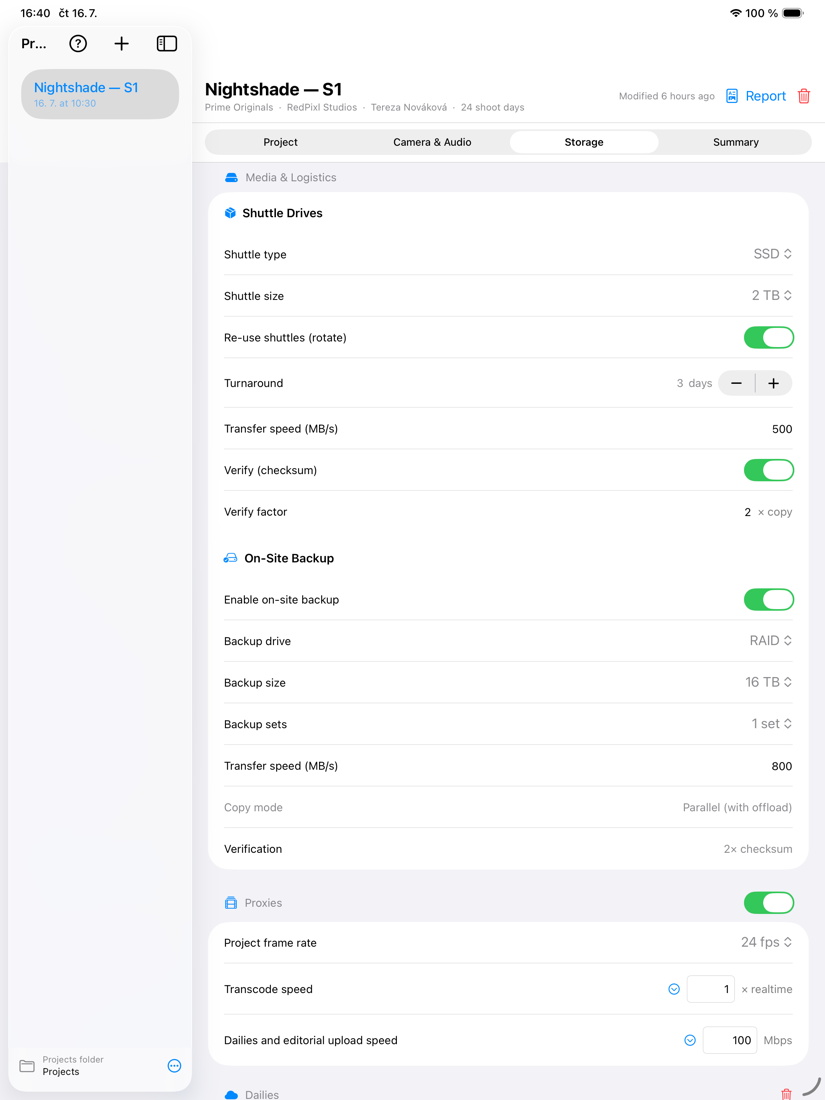
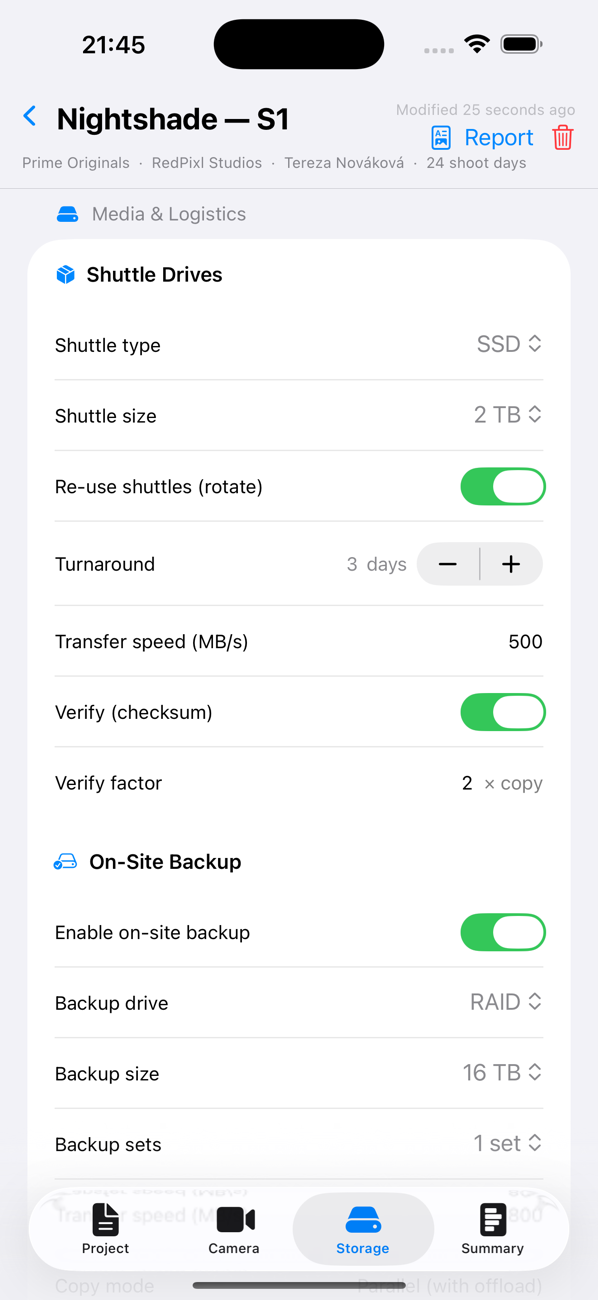
Memory cards per day (with a spare), rotating shuttle drives, and on-set RAID / HDD / LTO backup — sized and counted automatically.

📼

LTO archive plan

A complete archive plan — tape generation, number of copies, tapes needed, verification and total write time.

⏱️

Offload & labour time

Realistic offload, checksum-verify and backup times per day, so you can plan the DIT cart and turnaround with confidence.

📄

Print-ready PDF reports

Standard producer reports and complete technical reports for camera & post — with your logo, contact details and sensor-coverage diagrams.

🗂️

Portable project files

Each project is a single file. Keep it in a Dropbox, Google Drive or iCloud Drive folder to open it on another Mac or iPad.

See it in action

One project in, a full data plan out

A real example — a 24-day, two-camera drama, planned in DIT Media Calculator.

You set upARRI ALEXA 35 (ARRIRAW · 4.6K Open Gate) + Sony VENICE (X-OCN ST · 6K 2.39:1) · Sound Devices Scorpio 12-track · 24 shoot days · dailies + editorial proxies · 3-2-1 backup · LTO-9 archive (×2 copies)

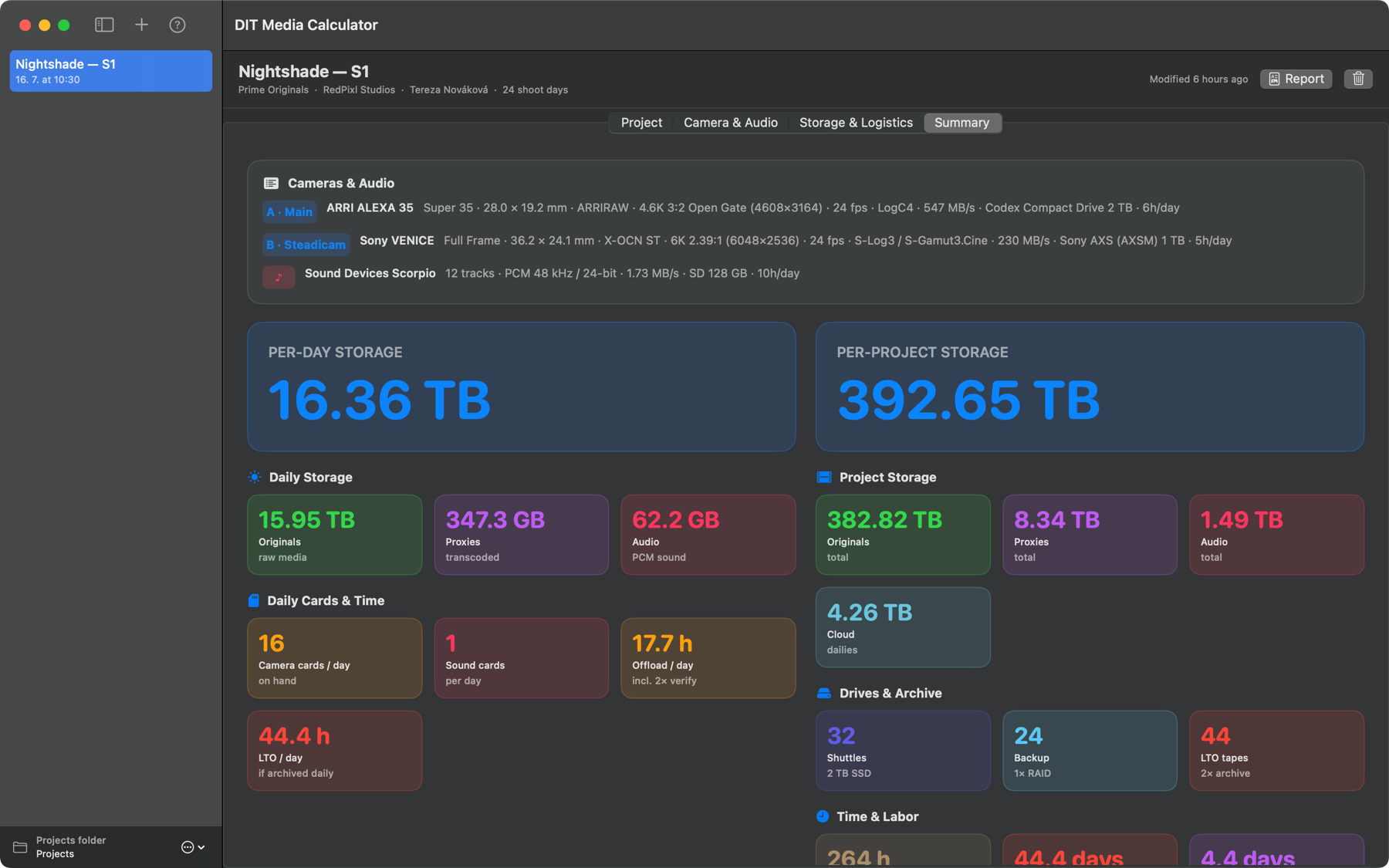
…and it plans the entire data pipeline — here it is, on screen:

DIT Media Calculator Summary screen — per-day and per-project storage, cards, drives, LTO tapes and labour time
The Summary screen — per-day and per-project storage, cards, shuttle drives, LTO tapes and labour time, all calculated at once.
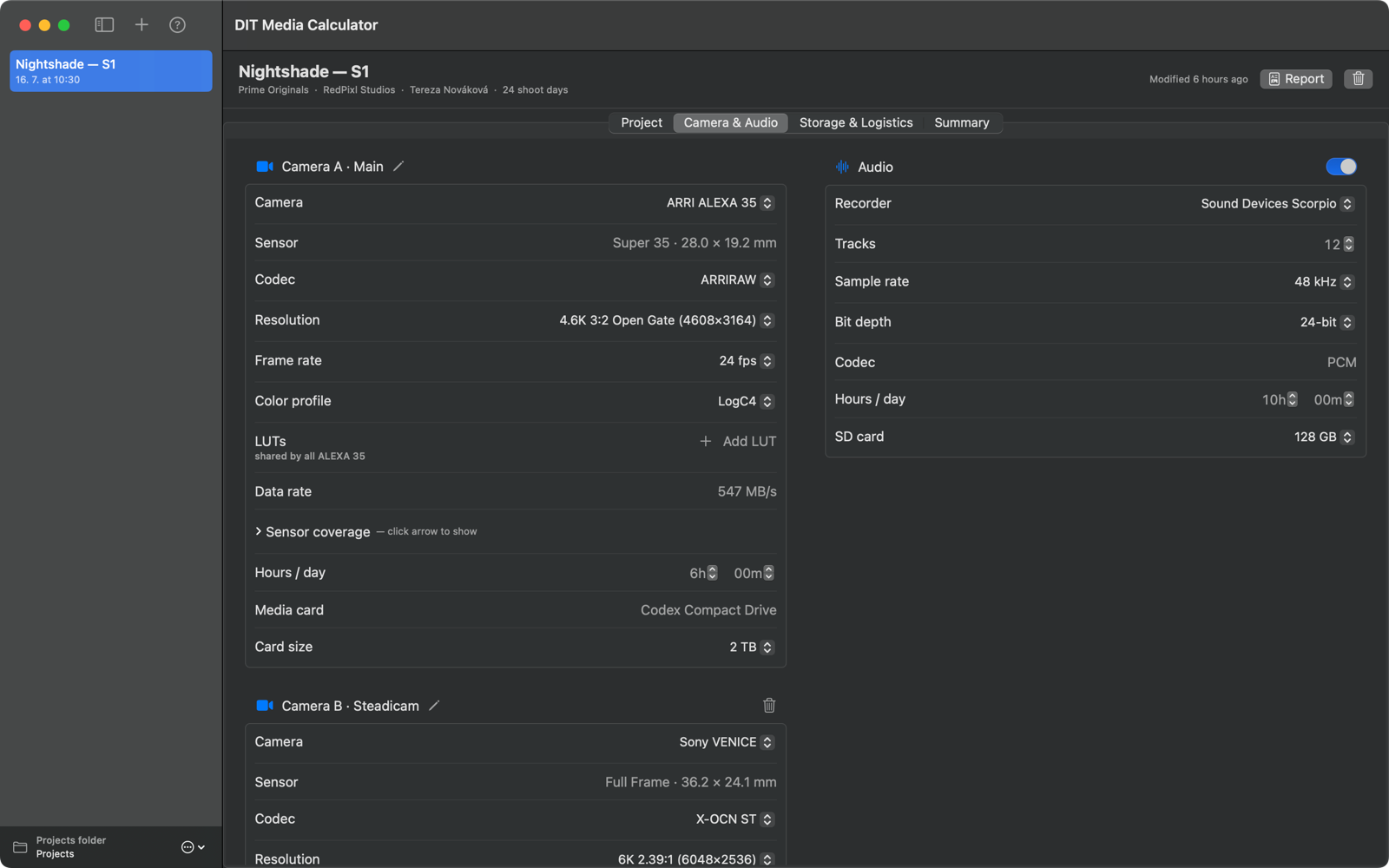
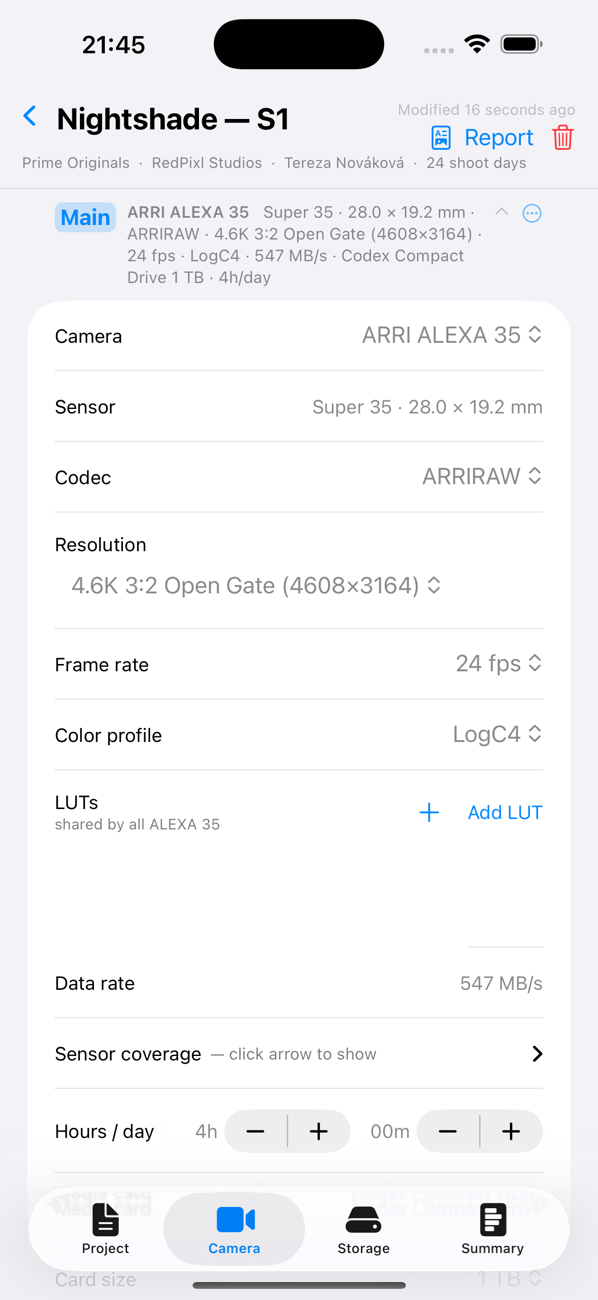
Camera & Audio tab — per-camera resolution, codec and frame-rate specs, plus sound recorder settings
Cameras & sound — manufacturer-accurate resolutions, codecs and frame rates for each body.
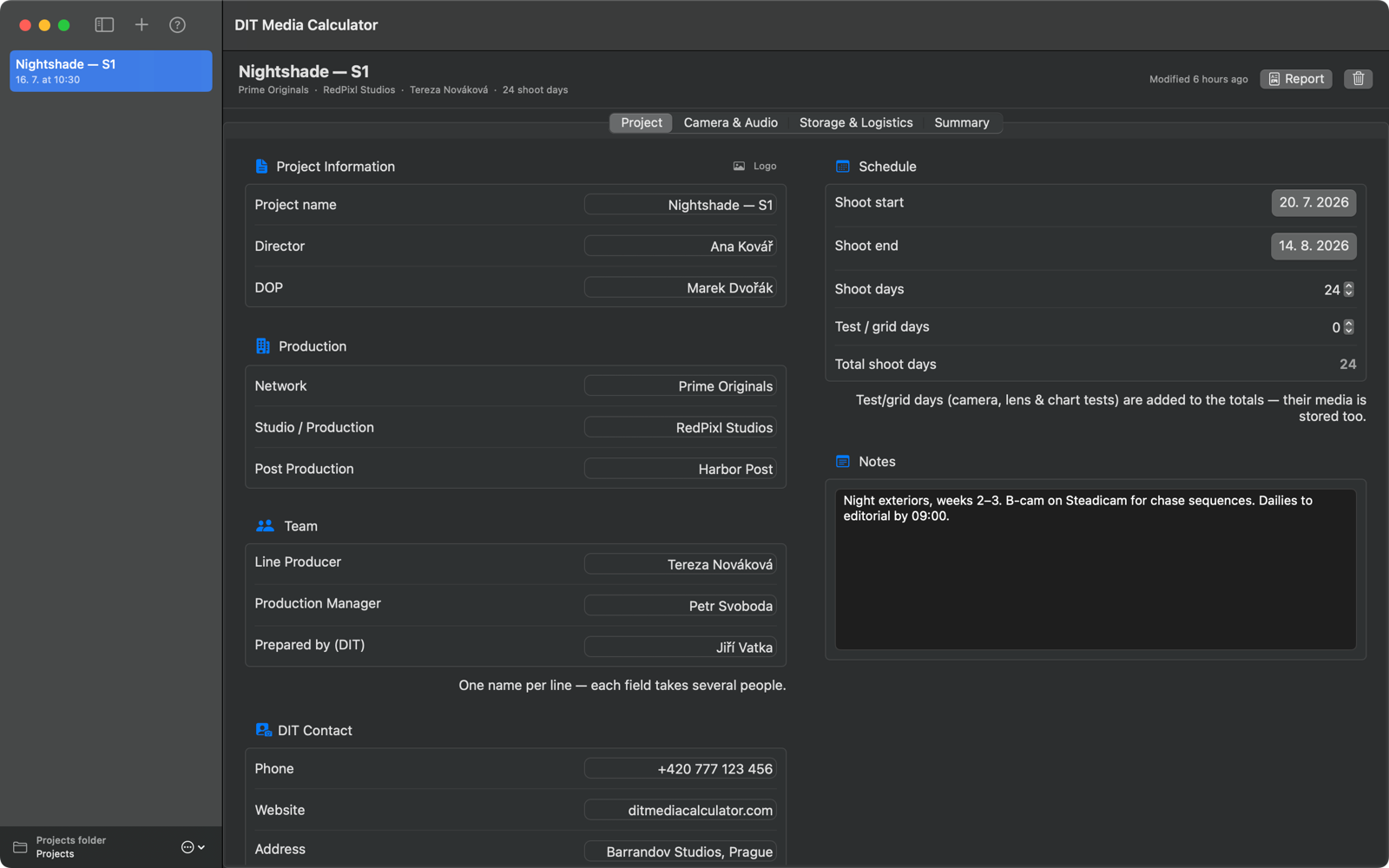
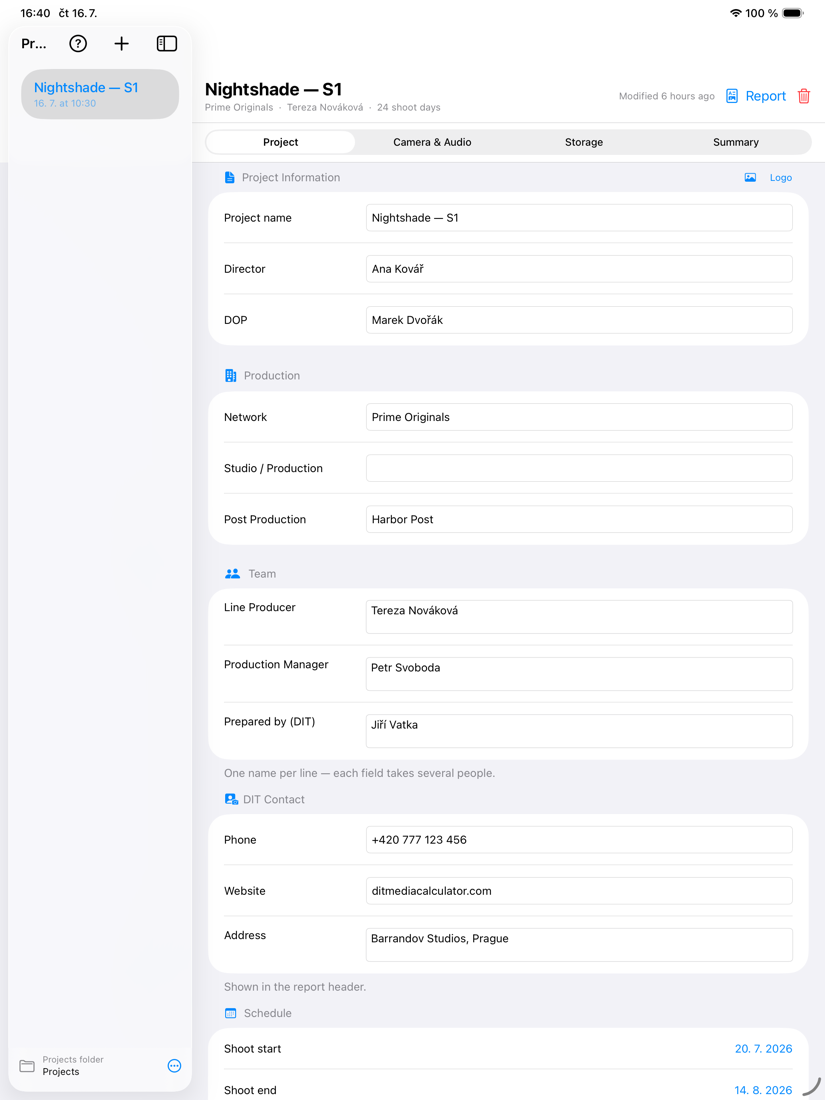
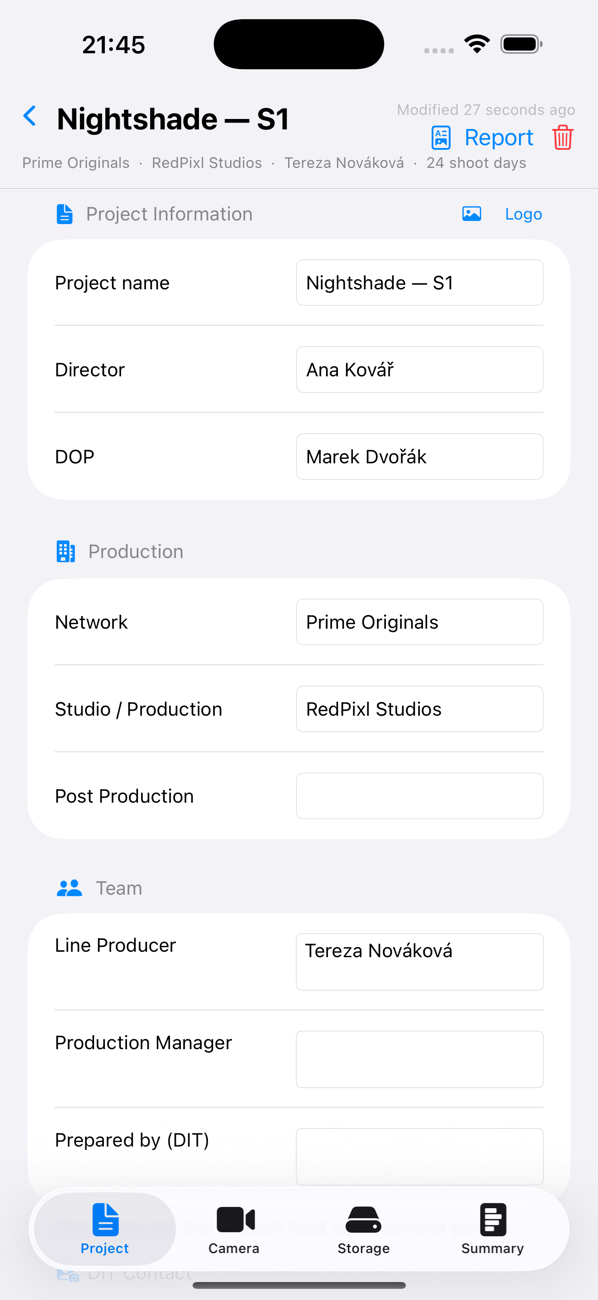
Project tab — production, team, schedule and DIT contact details
Project, team, schedule and contacts — everything that flows into the PDF report.

Available now on Mac, iPad & iPhone.

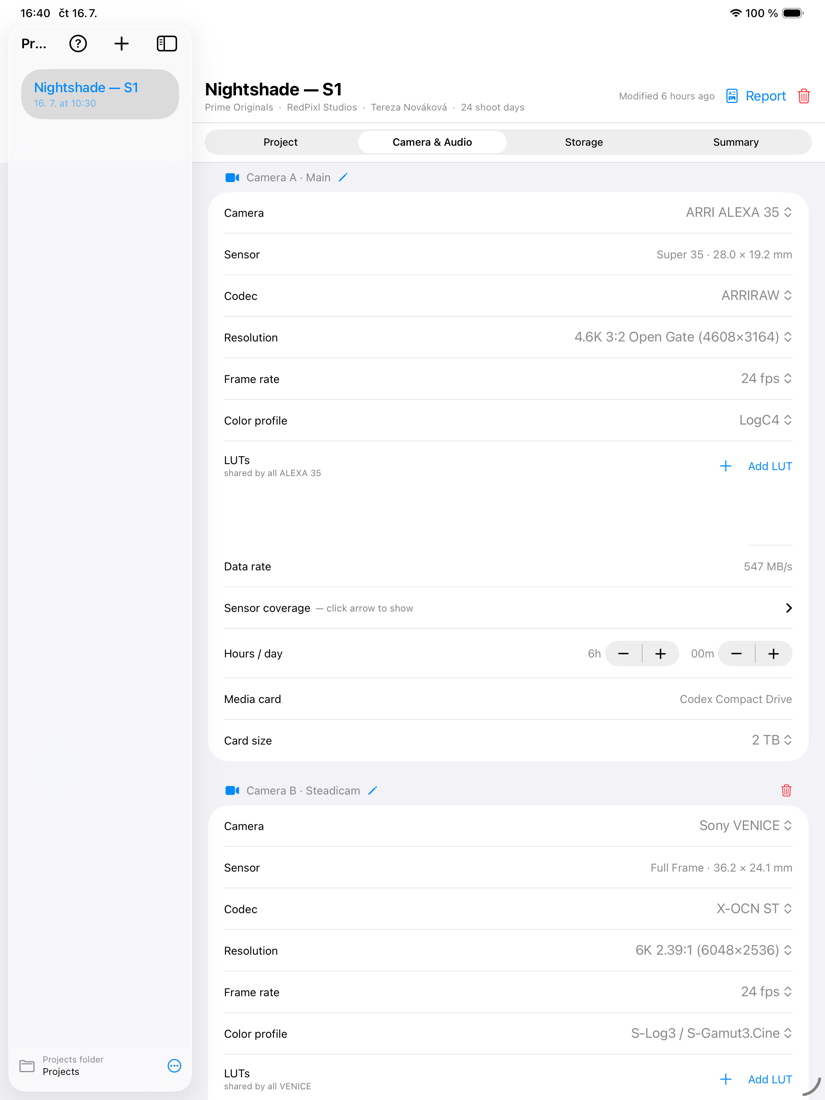
On iPad

Camera & Audio on iPad
Cameras & sound
Storage & Logistics on iPad
Storage & logistics
Project on iPad
Project & delivery

On iPhone

Camera & Audio on iPhone
Cameras & sound
Storage & Logistics on iPhone
Storage & logistics
Project on iPhone
Project & delivery
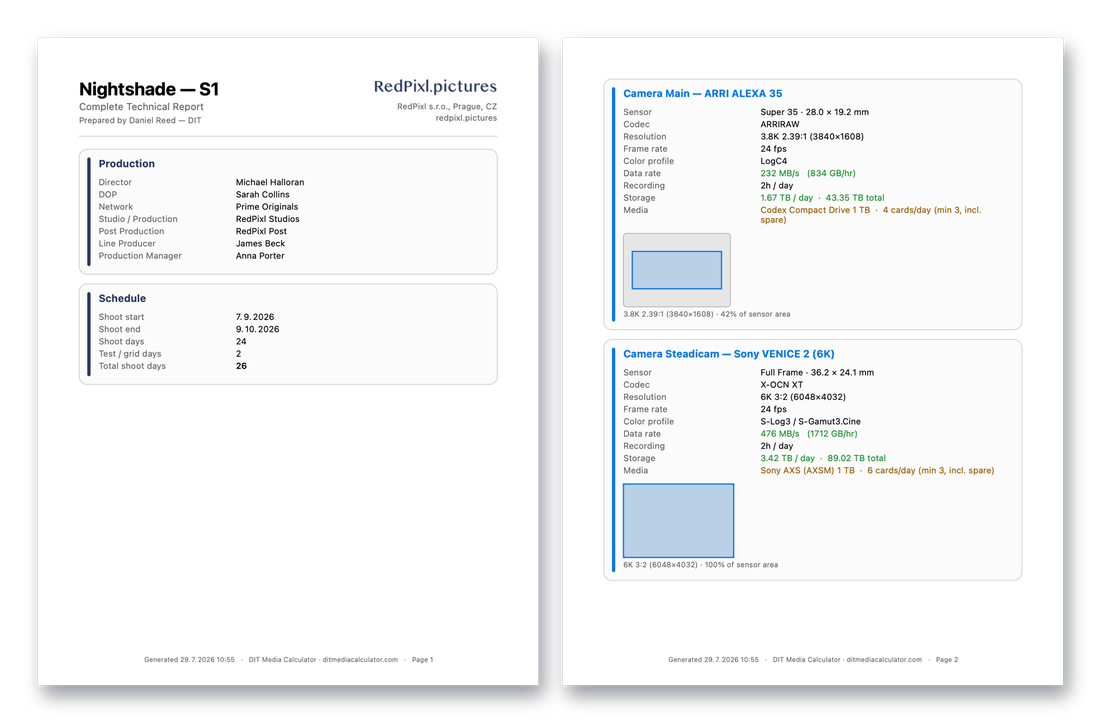
DIT Media Calculator technical PDF report — sample pages

Every figure lands in a print-ready PDF

The full technical report — production & schedule, per-camera specs with sensor-coverage diagrams, storage, drives & throughput, and a complete LTO archive plan — carrying your logo and contact details. Exactly what the app exports.

Download the sample PDF report →

Camera library

Works with the cameras you shoot on

Manufacturer-accurate codecs, modes and data rates for 40+ bodies — including the industry's flagships.

ARRI ALEXA
Sony VENICE
RED V-RAPTOR

Includes ARRI ALEXA 35, ALEXA Mini LF & ALEXA 65 · Sony VENICE 2, BURANO & FX6 / FX9 · RED V-RAPTOR & KOMODO-X · Blackmagic URSA Cine 12K · Canon EOS C400, C300 Mark III & C70 · plus DJI Ronin 4D, GoPro and iPhone — and your own custom cameras.

Who it's for

Built for the people who move the data

A planning tool for anyone responsible for footage on set and in post.

Digital Imaging Technicians Camera departments Data / media managers Post-production houses Line producers & UPMs

Pricing

Buy once. Use on Mac, iPad & iPhone.

Free to try. One payment unlocks everything, forever — no subscription needed. A single purchase covers Mac, iPad and iPhone.

Free

$0

try it out

  • ARRI ALEXA Mini LF
  • Full storage, cards, backup & LTO math
  • On-screen summary & estimates
Most popular

Full Unlock

$49.99

one-time · forever

  • All 40+ camera models
  • Custom cameras
  • Print-ready PDF reports
  • Mac, iPad & iPhone included

Camera Library Updates

$9.99/yr

optional

  • New camera models added after purchase
  • Ongoing spec updates
  • Cancel anytime — keep what you own

Prices in USD, as shown on the App Store. The one-time unlock never expires; the updates subscription is entirely optional.

DIT Media Calculator app icon

Download

Get DIT Media Calculator

Available now on the Mac App Store, iPad and iPhone.

Download on the App Store →

Also from RedPixl

Checkpoint QC app icon

Checkpoint QC

Does your delivery pass? Check a master against 185 delivery specs — codec, raster, colour, audio, loudness — and hand over a branded PDF QC report.

Download Checkpoint QC → More at checkpointqc.com →